 Mixer AI




How to make a product commercial without filming
An AI ad is built from images: first a product sheet and a label close-up, then the first frame of each scene, then video. A customer-style clip needs a vertical selfie frame, one short conversational line and natural light.
More
Both are made in Mixer AI from a single product photo, and the price of each generation is shown before you run it.
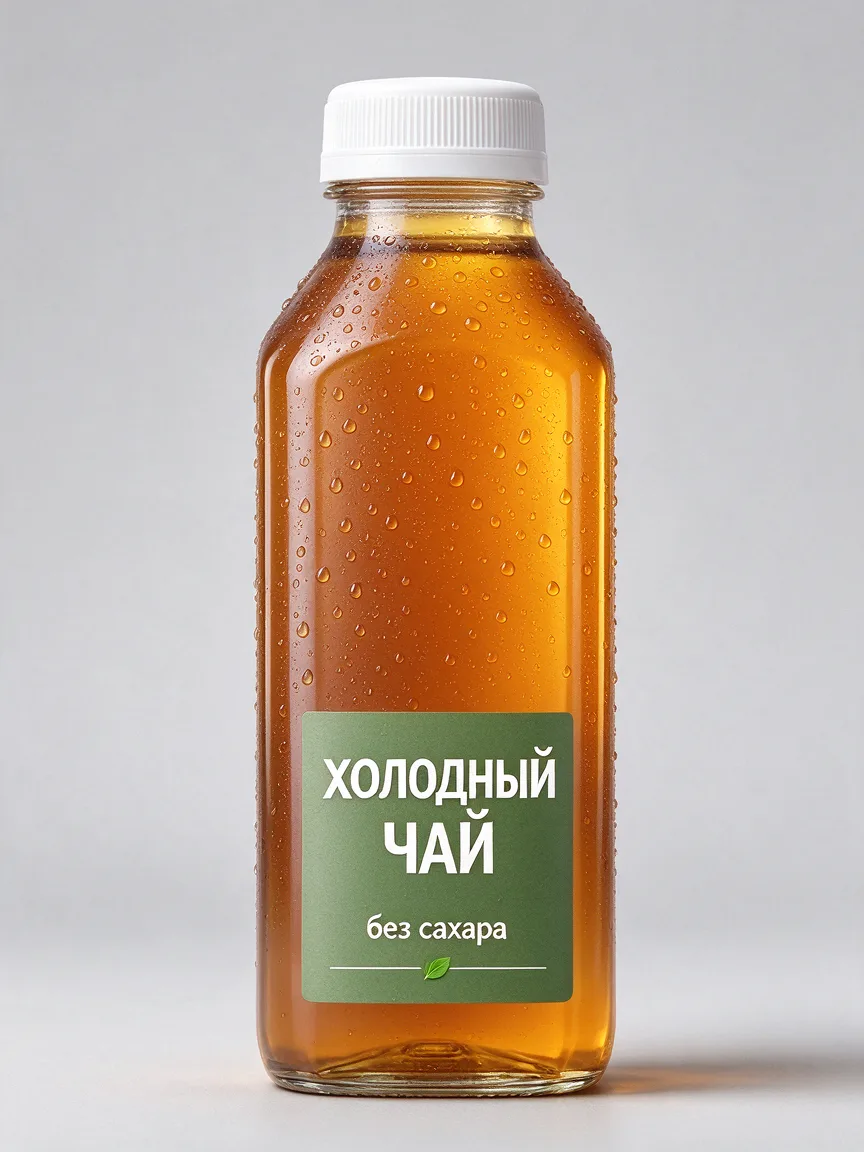
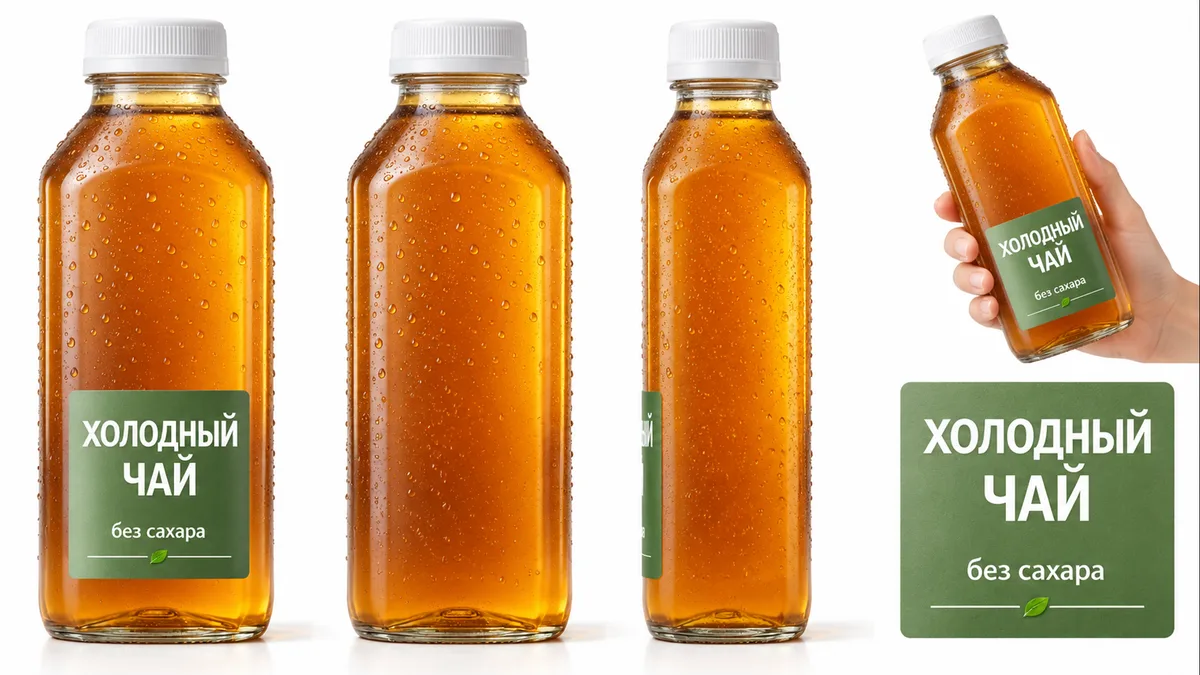
Product sheet on a clean white background, even studio light. The product from image 1 is a glass bottle of iced tea with a green label and a white cap. Four views: front, back, side and in hand for scale. A separate close-up of the front label. Bottle shape, cap color, label font and text exactly as in image 1, no new lettering.
Step by step
Write the task in one sentence: what you show, to whom (age, situation, problem) and what the viewer should do after the clip.
Without it, AI produces generic ads.
Make a product sheet in GPT Image 2 from a product photo: front, back, side, in hand for scale, plus a separate label close-up.
Check the lettering on the sheet letter by letter.
Approve the first frame of each scene as an image: product close, label to camera, no hand covering it.
For UGC make a vertical 9:16 frame of a person holding the product at arm's length.
Run the video in Seedance 2.5.
Frame mode uses the approved image as the start of the clip; reference mode takes the product sheet, label close-up and scene frame together. Describe motion, camera, line and sound, and tick “Draft”.
Check the product shape and label at the start, middle and end of the draft.
Take the good one to 1080p with “Complete draft” and regenerate a failed scene on its own.
Ready prompts for a video ad
Image 1 is the product sheet, image 2 is the label close-up and the source of exact text, font and color. 0–2 s: macro, condensation drops slide slowly down the cold bottle, label facing the camera. 2–5 s: medium shot, the bottle stands on a wet rock by a mountain stream, morning mist behind it, the camera pushes in slowly. 5–8 s: close-up, a hand twists the cap, a click and a soft hiss, ending on the label. Warm low side sunlight. The hand never covers the label. Sound: stream, cap click, no music, no on-screen text.
Vertical video. One continuous arm's-length selfie shot with slight sway. A woman in her mid-twenties in a light hoodie stands in a kitchen by the window, daylight from the left. She holds the iced tea bottle from image 1 with the label to camera and says brightly, smiling: “Third week I'm buying this. No sugar, and it tastes homemade.” She takes a sip and nods. Natural skin, no gloss. Sound: her voice and a quiet kitchen background, no music.
Keep the same framing, camera movement, hand motion and timing of the source video. Replace only the bottle with the bottle from image 1: red label, same shape and size. Do not change the background, light or sound.
Price in coins
How to make a video ad with AI: from brief to first frame
Start with the idea, not the model: what you show, to whom, and what the viewer should feel or do. Scenes, the spoken line and the final frame grow out of that sentence.
The first two seconds decide whether people keep watching: open on an event or a bold close frame, with no empty pause. Product shots follow, and the ad ends on the product.
Approve every scene as an image first. An image costs less than a video and shows right away whether the product shape holds and the label reads.
Create an ad with AI: the product is the hero
Attach the product sheet and label close-up to every scene as references. The label close-up is the source of exact text, font and color; it holds best in close shots and drifts in wide ones.
Every visible part of the product needs a reference: a part without one, such as the cap, gets invented. Keep the product identical across scenes, close and uncovered.
Generated on-screen text is not verified copy. A model can write one short phrase in quotes; long headlines, prices and legal text are added on top of the finished clip.
UGC ads: a clip from the customer's point of view
UGC is one continuous selfie or vlog-style shot: vertical 9:16, product in hand, short conversational lines, natural light from a window or outdoors. Describe the shooting itself: “arm's-length selfie, slight sway”. Avoid the words “shot on a phone”: a phone may appear in the frame.
Without a person reference the model invents a presenter. If the same person must appear in several ads, make a character sheet for them and attach it to every generation.
The spoken language is set by the text of the line; there is no language switch. Keep lines short. You can give your own voice as an audio reference in Seedance 2.5 together with a photo or video.
Best AI for making video ads: which model to choose
Pick the model by what the scene needs. The price of each generation is shown before you run it.
| Task | Model | What to set |
|---|---|---|
| Product sheet, label close-up, first frames | GPT Image 2 | Front, back, side and in-hand views; exact label text |
| Cinematic spot and UGC with a spoken line | Seedance 2.5 | Sheet and label as labelled references, timecoded shots, 9:16 for UGC, “Draft” checkbox |
| A simple story in several scenes from one frame | Kling 3.0, Multi-shot mode | Up to 5 scenes, 3–15 seconds in total, sound on; no fast motion or exact lines |
| The same clip for another product or flavor | Gemini Omni or Seedance 2.5, video edit | What stays, what changes, a reference of the new product |
| A short shot between a start and end frame | Veo 3.1 | 4, 6 or 8 seconds; the end frame is the natural end of the action |
MiniMax H3 is a weaker fit for photoreal ads with close-up skin: surfaces tend to look glossy.
An ad series and checks before publishing
For a series in one style, freeze the style block of the prompt: light, composition, palette, format. From ad to ad change only the product, scene and line.
A finished clip for another flavor or package does not need a new generation: a video edit in Gemini Omni or Seedance 2.5 swaps the product from a reference while motion and timing stay.
Before publishing, check the label and product shape at the start, middle and end, and whether reactions are framed close enough to read. Fix one thing per attempt.
Which model to use




FAQ
Can I create an ad with AI without filming the product?
You need at least one clear photo of the product: it becomes the product sheet that keeps shape and label stable from scene to scene. Without a photo the model invents its own product.
Why does the label text get distorted in the video?
Small text in wide shots is generated with errors. Give the label close-up as a separate reference, keep the product near the camera and add long lettering on top of the finished clip.
What language will the person in the ad speak?
The language of the line: video models have no separate language switch. Keep lines short.
What format should a UGC ad use?
Vertical 9:16. In frame mode the clip takes its format from the first frame, so make that frame vertical too.
How much does an AI video ad cost?
The price depends on the model, duration and resolution and is shown before you run it. The cheapest way to test an idea is with images and a 480p Seedance 2.5 draft.