 Mixer AI



Node-based AI: 11 canvases for images and video
A node canvas is an interface where each model is a block, and one block's output feeds another block's input. This is how people build text → image → video chains and compare models on the same source. Below are 11 such services with prices from the official pages as of 26.10.2026.
Updated
Canvas in action
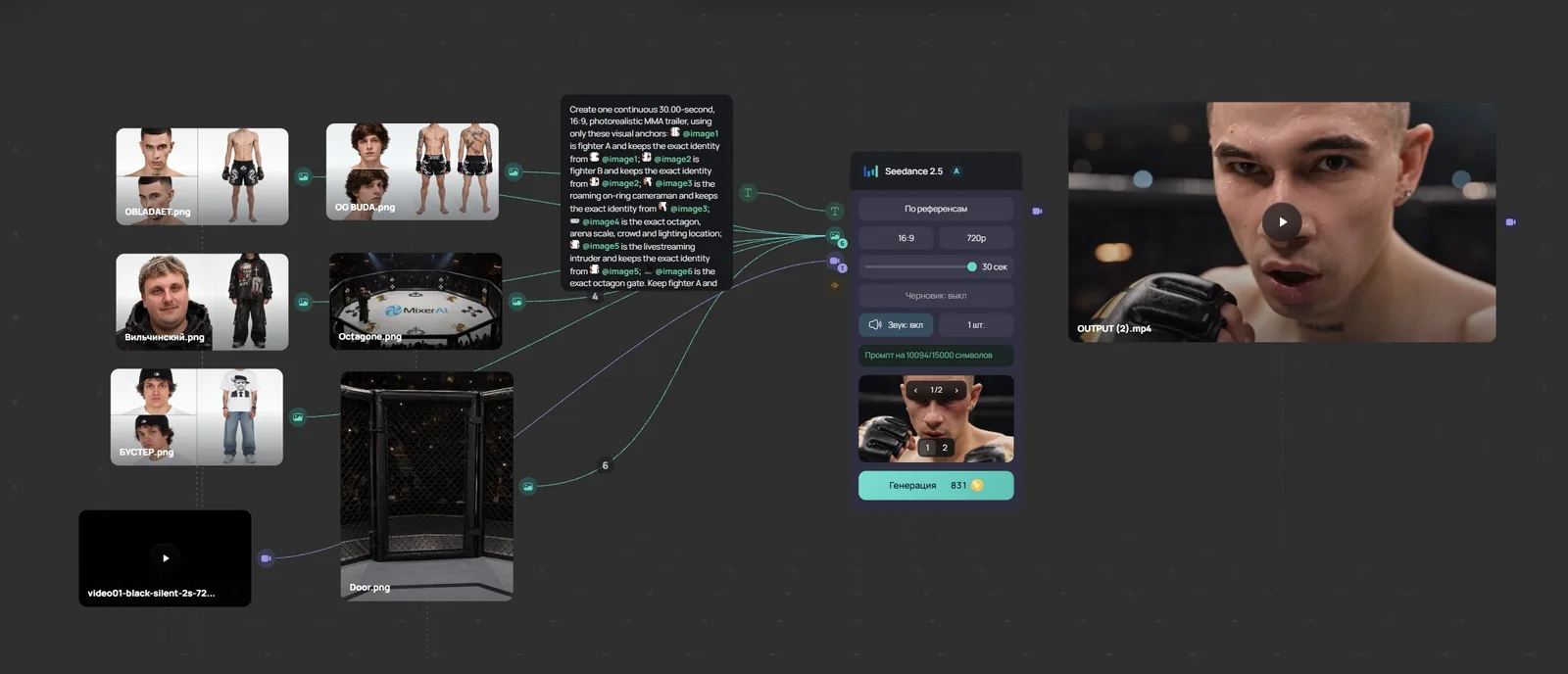
Video lesson (in Russian): a node workflow in 8 minutes
Node canvases compared
| Service | How you pay | Paid plan from | What stands out |
|---|---|---|---|
| Mixer AI Canvas | Balance in RUB, USD or crypto; no subscription | Top-up from 200 RUB | Images, video, audio and text; Scene Cutter; Telegram bot and MCP |
| FLORA | Seat; the seat amount goes to generations | $18 a month | FAUNA AI assistant, API and MCP |
| Figma Weave | Subscription, credits | $24 a month | Formerly Weavy, part of Figma |
| Krea Nodes | Subscription | $9 a month | Krea models and tools |
| Higgsfield Canvas | Subscription | $9 a month | Higgsfield video models and effects |
| ComfyUI | Free on your own computer | Comfy Cloud from $20 a month | Open source, needs a GPU |
| Fuser | Subscription, credits | $5 a month | Node price shown before the run, your own API keys |
| Wireflow | Subscription, credits | $36 a month | Run a chain via API, MCP for Claude |
| NodeTool | Free; you pay providers with your own keys | $0 | Open source (AGPL-3.0), local models |
| Beemm Vision | Subscription, credits, EUR | €24 a month | Batch runs from a spreadsheet, MCP |
| Astorie | Subscription, credits | $19 a month | A canvas for video |
How to choose
- Your own API keys and local models: NodeTool or ComfyUI.
- A finished chain needs to run via API: Wireflow.
- Teamwork and shared boards: FLORA, Figma Weave, Fuser.
- A balance in RUB, USD or crypto with no subscription: Mixer AI Canvas.
- Fuser, Wireflow, Beemm Vision and Mixer AI Canvas show the node price before the run.
What Mixer AI Canvas has
- Image, video, audio and text nodes. One node's output connects to another node's input.
- Text models, including GPT, Gemini, Claude and Grok.
- Crop and Overlay grid for photos, Scene Cutter for storyboards of up to 9 frames, audio trimming.
- A board can be opened by link for viewing.
Price sources (checked 26.10.2026)
Your first chain in Mixer AI Canvas
Models for Canvas





FAQ
What is a node-based AI?
It is not a separate model but an interface: models sit on a board as blocks, and one block's result feeds another block's input. You see the whole chain and can rerun it from any step.
Are there free node canvases?
ComfyUI and NodeTool are free, but cloud models are paid to the providers. FLORA, Wireflow and Beemm Vision give free starter credits.
Which node canvases can I pay for in RUB?
The other services bill in USD or EUR. Mixer AI Canvas is paid in RUB by card or SBP, or with separate USD and crypto methods.
Where is the node price shown before the run?
According to the official pages, in Fuser, Wireflow and Beemm Vision. Mixer AI Canvas also shows the price on the run button.
How is a node canvas different from a regular generator?
A generator has one form and one result. On a canvas, results are linked: a frame from an image model can go straight into a video model, or several models can be compared on one source.
Other comparisons
- Canvas: a node board for AI models, pay as you go
- Higgsfield alternative: node canvas, no subscription
- Krea AI alternative: Krea Nodes vs Mixer AI Canvas
- Figma Weave (Weavy) alternative with no subscription
- ComfyUI online without installing or a GPU
- Runway alternative: Seedance, Kling, Veo, no subscription
- Leonardo AI alternative: pay per generation, no subscription
- Freepik is now Magnific: Spaces alternative, no subscription
- FLORA AI alternative: a node canvas with pay-as-you-go