 Mixer AI




Seedance 2.0
Seedance 2.0 was the model used for the original three-path experiment and the 1080p outputs shown here.
Camera direction does not have to live only in the prompt. In my test, a red line on the reference image represented the camera route: Seedance 2.0 used that frame to produce three different 1080p moves. This is a visual steering cue, not an exact 3D camera path, so the resulting trajectory still needs to be checked.
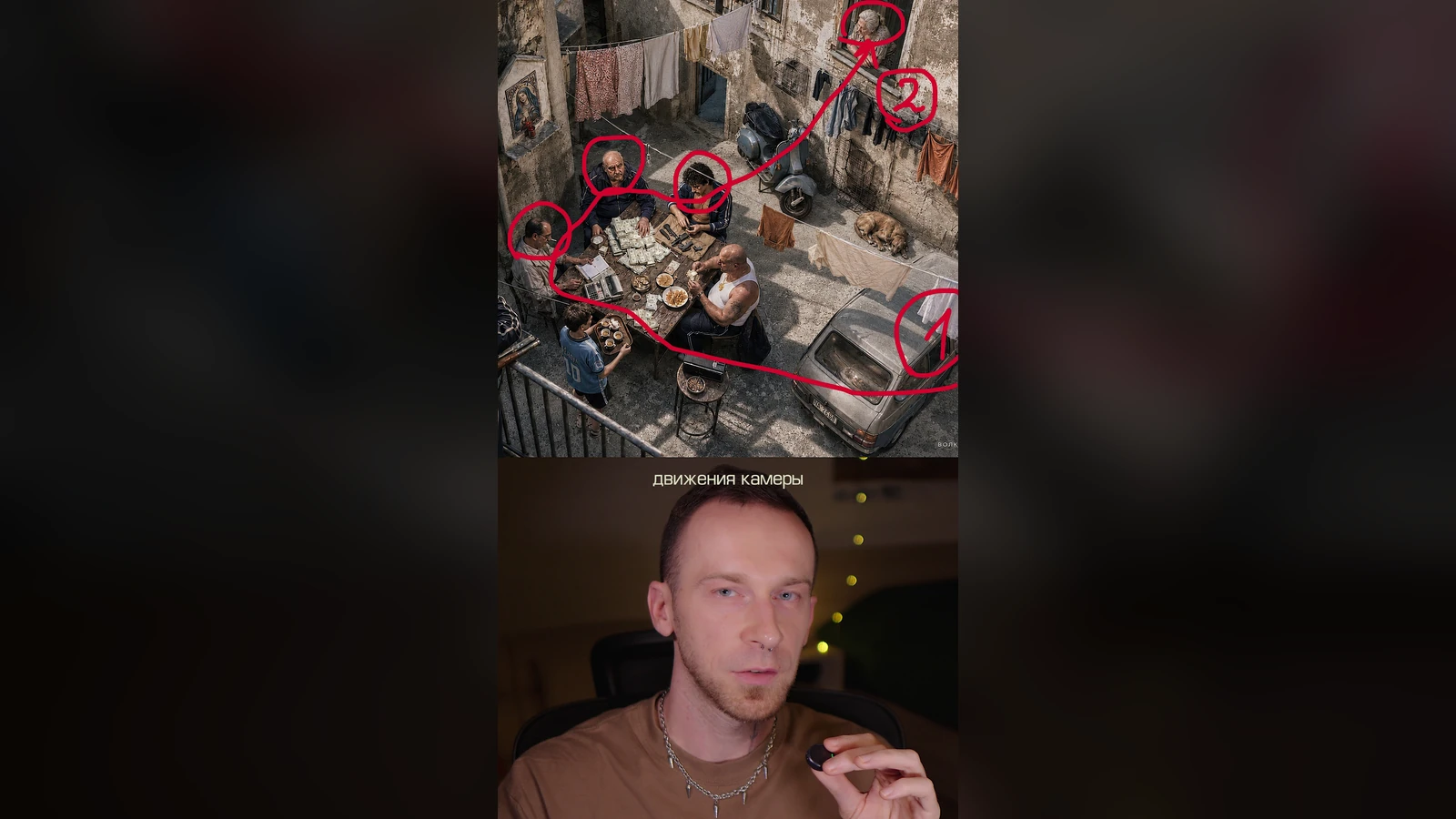
AI camera movement test using a drawn path
Original experiment: three camera-path scenes generated with Seedance 2.0 at 1080p.
Replace the landmarks with your own. The important part is defining the line as camera guidance that must not be rendered.
Use the image as the visual reference for the scene. The red line represents the camera trajectory: begin at its first point, move smoothly along the line, and finish at its final point. Preserve the reference composition, characters and environment. The red line is only an instruction for camera movement; do not show, draw or retain the line in the final video.
Seedance 2.0 was the model used for the original three-path experiment and the 1080p outputs shown here.
The current Seedance option in Mixer AI for scenes that combine several kinds of references and input guidance.
No. It is a visual cue for a video model, not a coordinate-based path from 3D software. The model may simplify or alter the route.
The model may interpret the annotation as part of the image. Define it explicitly as camera guidance and tell the model not to render it.
You can try it. The original test revealed several characters and scene details along one route, but more turns and events increase the chance of drift.
Text names the movement; a drawn path adds spatial guidance directly on the composition. That is useful when where the camera travels matters as much as how it moves.