 Mixer AI




How to create an AI double: a digital copy of a person in photos and video
An AI twin, or AI clone of yourself, is your face and look holding steady from frame to frame in photos and video, plus your voice. You build it from a character sheet made of your own photos and attach that sheet as a reference to every generation: no custom model is trained on your face, so likeness depends on the source photos.
More
Need a talking avatar from one photo and a voice recording? That is a separate guide, How to make an AI avatar video from a photo and your voice.
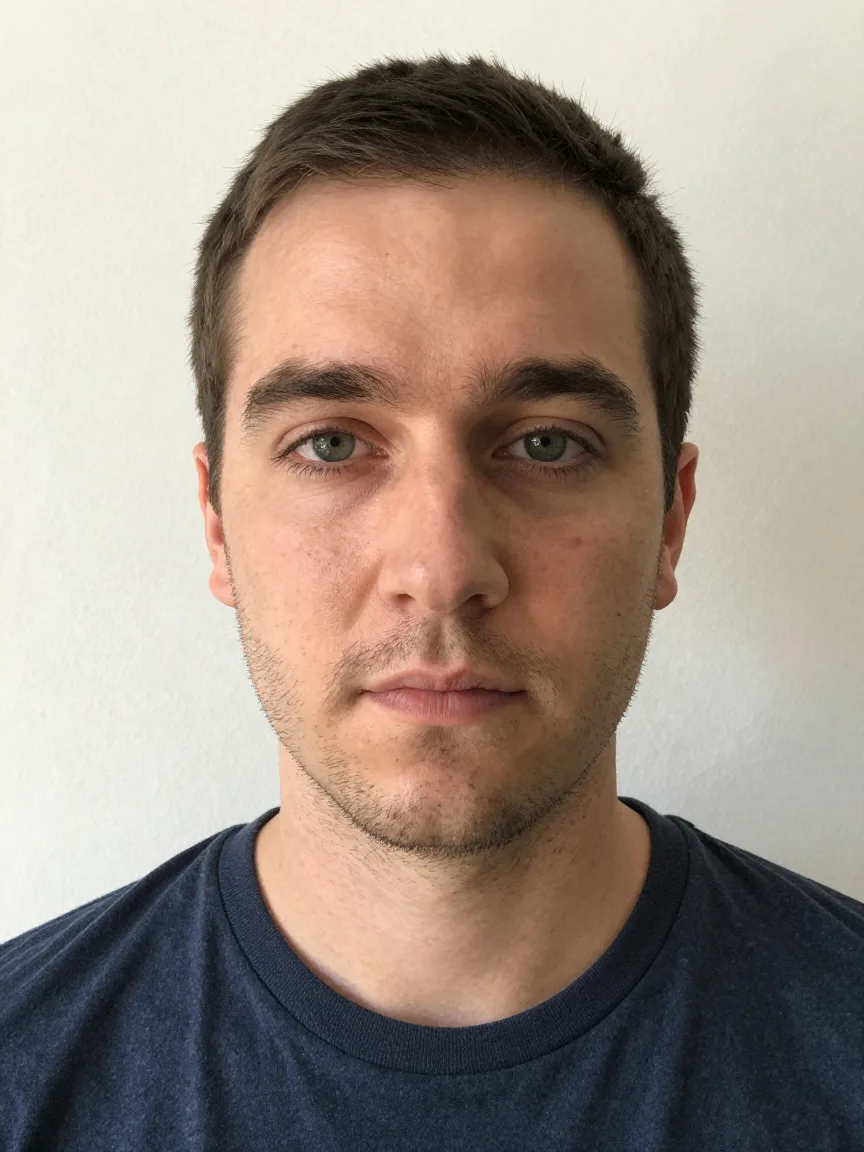
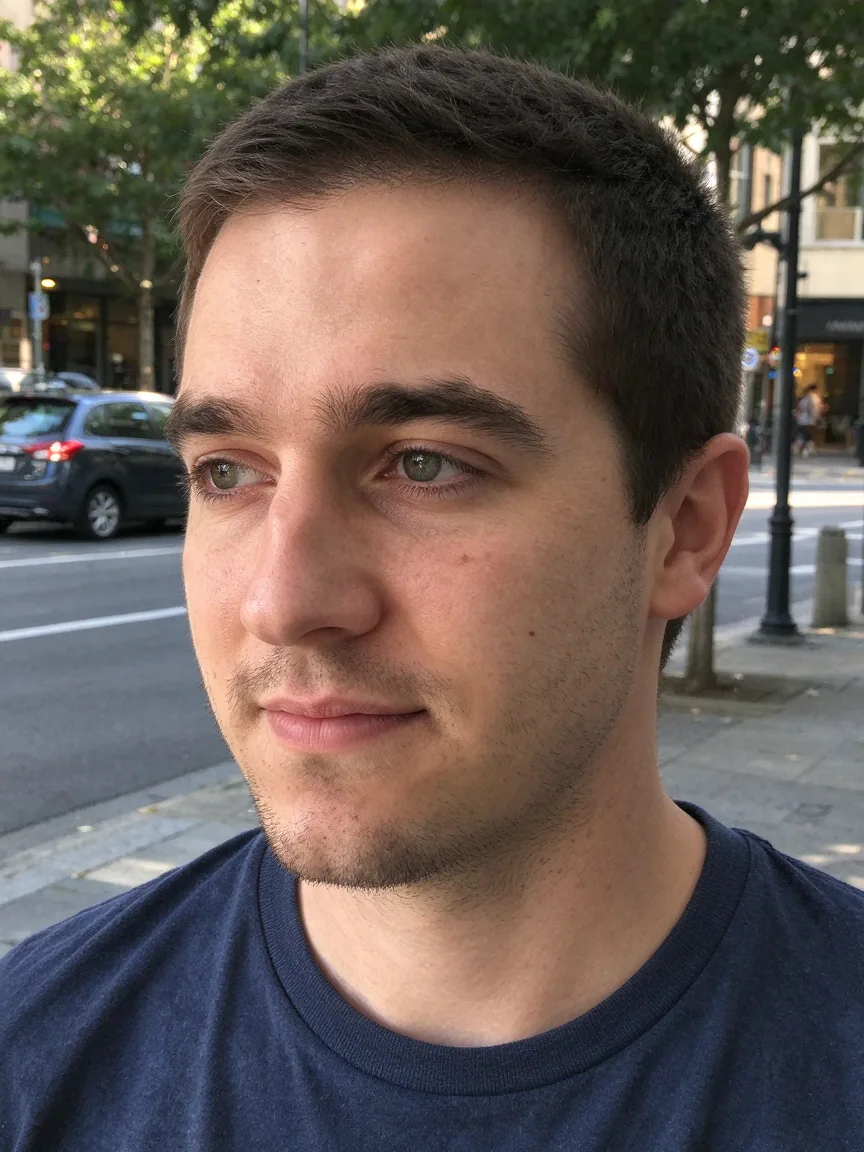
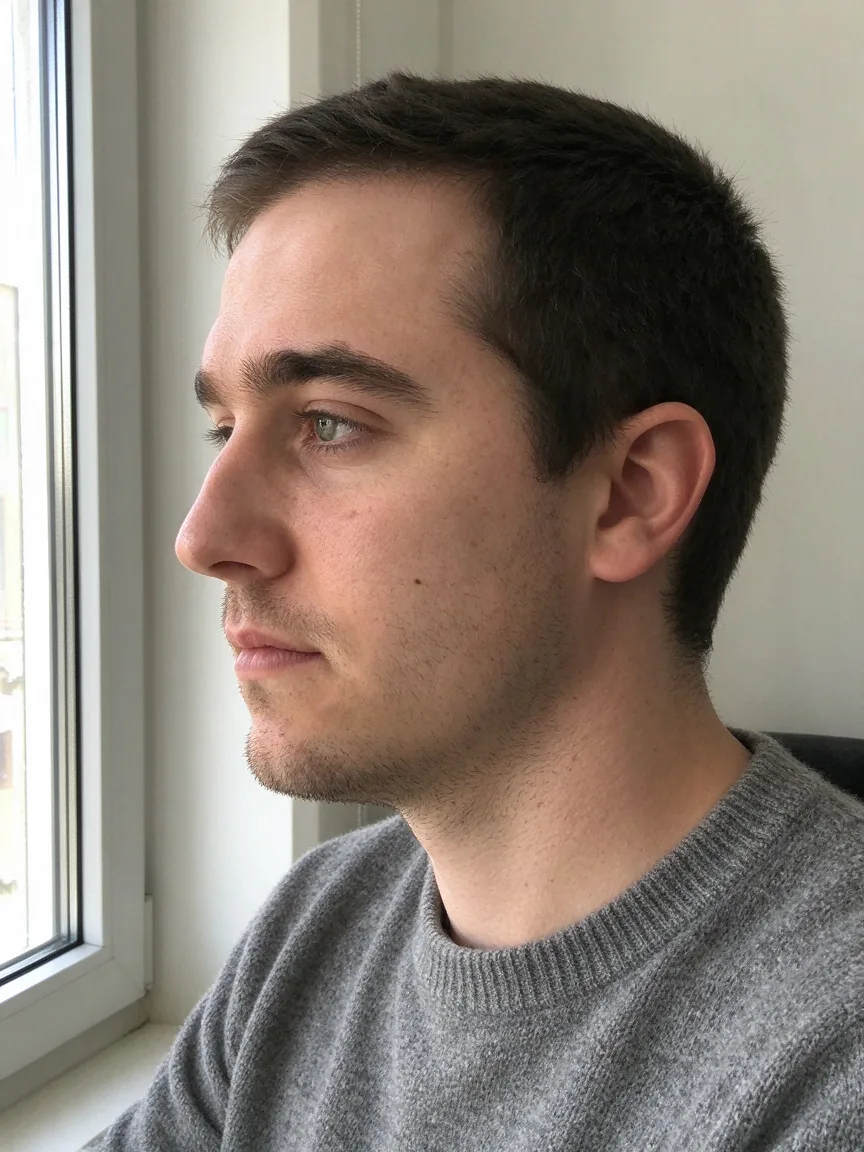
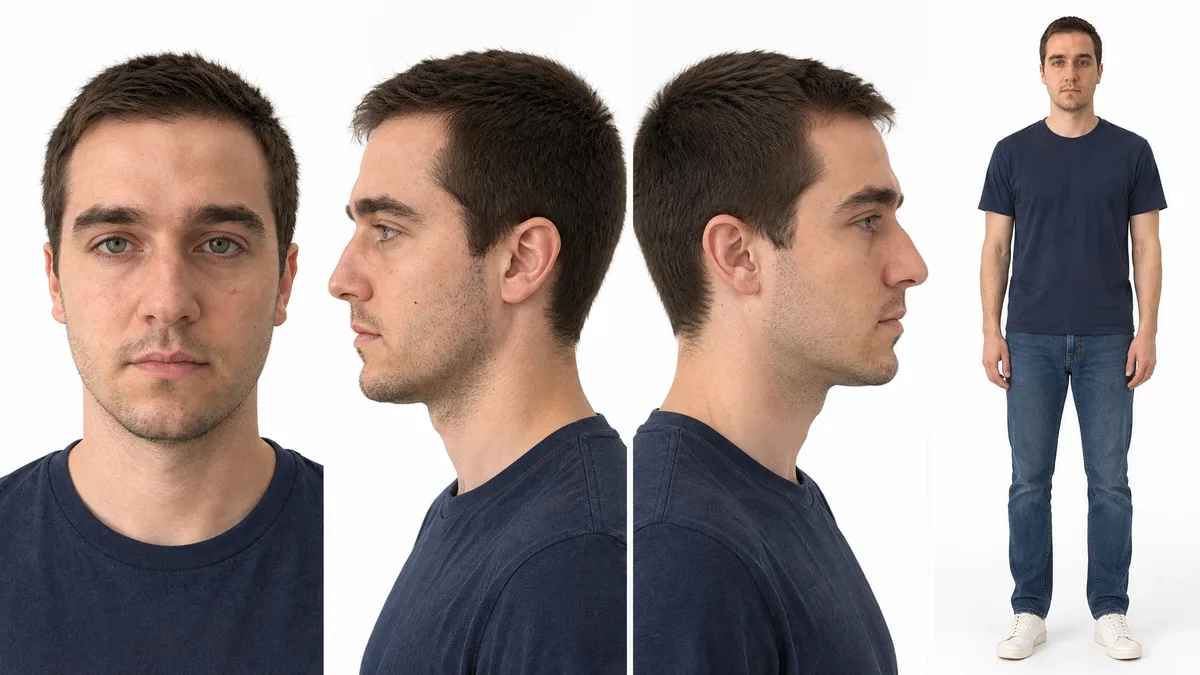
Character sheet based on images 1–3: the same person in four views — frontal portrait, left profile, right profile, full body. Clean white background, soft even light, photorealistic, neutral expression. Keep the facial features, nose shape, eye color, hairline, moles and freckles as in the source photos. Do not beautify the face, do not change the age, no accessories or text.
Step by step
Shoot the source photos in even daylight: a frontal portrait with a neutral face, a profile and a full-body shot.
No glasses or hat; if a mole or scar matters, add a close-up.
Build a character sheet in GPT Image 2.6 or Nano Banana Pro: upload your photos and ask for three or four views of the same person on a white background.
Compare it with yourself and redo it if the nose, eyes or hairline drift.
For a photo series, attach the sheet to every frame and describe only the scene, light and pose.
Make each new frame from the sheet, not from the previous result.
For video, pick Seedance 2.5 or Wan 3.0 in reference mode and upload the sheet and a location photo.
In the prompt, name the roles (image 1 is the hero's face and clothes, image 2 is the street) and the number of people in frame.
To make the twin speak in your voice, record 2–15 seconds of speech in a quiet room and add it as an audio reference in Seedance 2.0 or 2.5, Wan 3.0 or MiniMax H3.
In the prompt, write speaks with the voice from audio 1 and the line itself in quotes.
Digital twin prompts
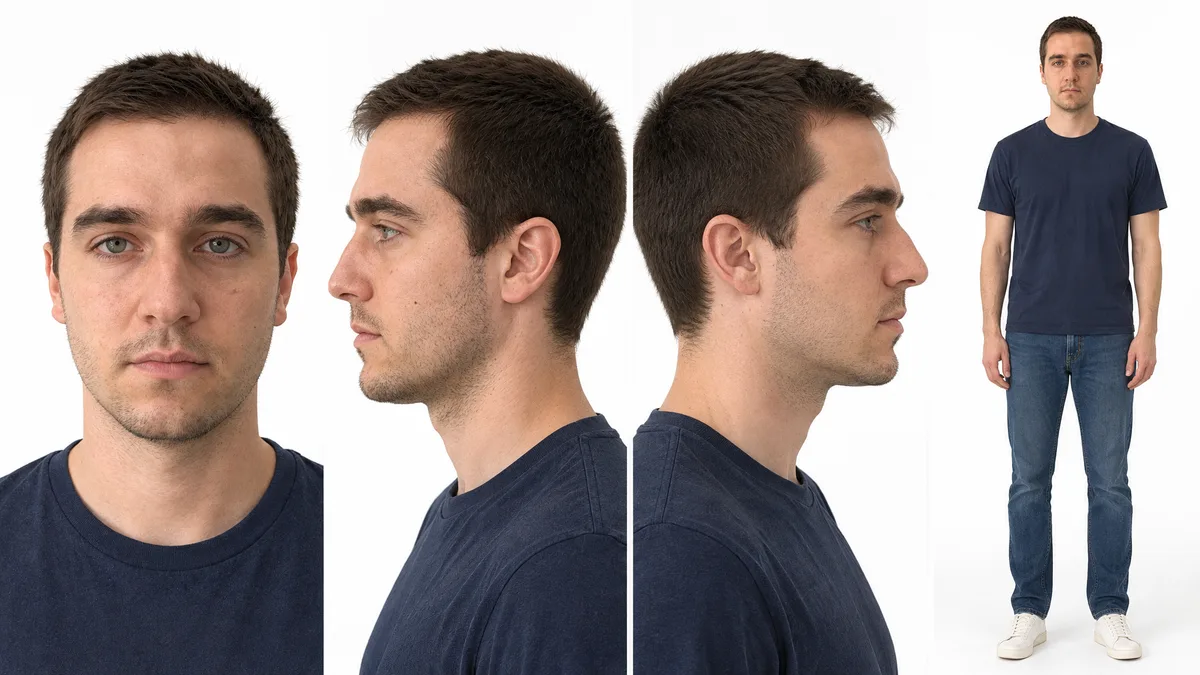
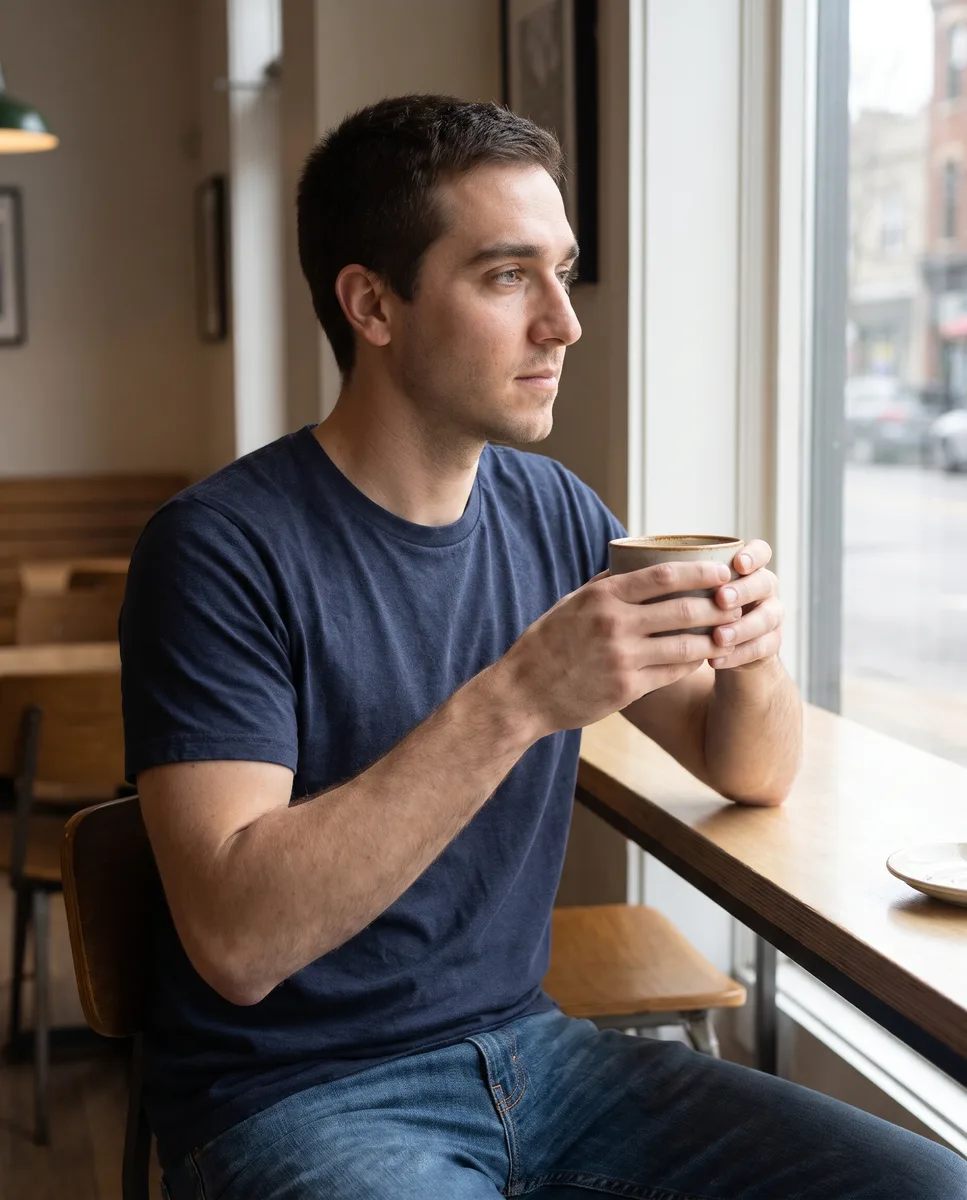
Image 1 is the character sheet: the hero's face, hair and build. The same person sits by a café window holding a cup and looks out at the street. Medium shot, 50 mm lens, soft daylight from the window on the right. One person in frame. Keep the face from image 1, do not beautify, no plastic skin.
Image 1 is the hero's character sheet, image 2 is an evening street. One person in frame. 0–3 s: medium shot, the hero walks down the street from image 2 toward the camera. 3–6 s: close-up, he stops and smiles. The camera slowly pulls back. Low sun from the left. Keep the face and clothes from image 1, do not beautify. No music.
Image 1 is the hero's character sheet, audio 1 is his voice. Medium shot, the hero sits at his desk and says to the camera in the voice from audio 1: 'Hi, this is my digital twin, and the voice is really mine.' Locked camera, window light from the left. Keep the face from image 1. No music.
Price in coins
Digital clone: which photos to take for a character sheet
A character sheet is one image with several views of the same person. Models do not remember earlier runs, so the sheet goes into every generation and the face is repeated from it.
| What to shoot | Why |
|---|---|
| Frontal portrait, neutral face | The main source of facial features |
| Profile | Without it the model invents the side view |
| Full body | Build, height and how clothes fit |
| Close-up of a distinctive mark | A mole, scar or freckles that must appear in frame |
Shoot in even light without harsh shadows. For yourself at another age or in another look, make a separate sheet.
A digital copy of a person in photos and video
Photos and video come from different models, but one character sheet works for both.
| Task | Model | Input photos |
|---|---|---|
| Photo series | GPT Image 2.6 | Up to 16 |
| Photo series | Nano Banana Pro | Up to 8 |
| Clip up to 30 seconds | Seedance 2.5 | Up to 30 |
| Clip up to 30 seconds | Wan 3.0 | Up to 10 |
| Clip up to 15 seconds | Seedance 2.0, MiniMax H3 | Up to 9 |
Several shots can go into one prompt with timecodes: this works in Seedance 2.0 and 2.5, Wan 3.0 and MiniMax H3.
How to keep your likeness across a series and a video
Attach the same sheet to every generation and name it in the text: image 1 is the hero's face. An unnamed reference may be ignored.
Make every variant from the sheet or the original photo. If you build on an already edited result, the drift grows with each step.
Keep the face large: medium shot or close-up. Describe the scene light — where it hits the face — or a studio-lit sheet looks pasted in. Add do not beautify the face so the model does not smooth the skin.
Your own voice as an audio reference
The voice comes from an audio reference. Seedance 2.0 and 2.5 and MiniMax H3 accept a recording only together with a photo or video; Wan 3.0 also accepts it alone. A 2–15 second clip fits all of these models.
Name the recording in the prompt and give the line time: a short phrase needs about three seconds. The spoken language is set by the text of the line. Gemini Omni, Kling 4.0 and Veo 3.1 do not accept audio uploads.
Use your own face and voice, or someone else's only with that person's permission.
What breaks the likeness
A small face in a wide shot, a profile face without a side view on the sheet, and small accessories on the sheet are the hardest for the model. Remove extra items from the sheet if they should not appear in frame.
If the views on the sheet blend your features or expressions distort the face, go back to one neutral portrait and give clothes and location as separate photos. There will be no exact copy: check the beginning, middle and end of the clip and redo the failed piece.
Which model to use





FAQ
How do I make a digital twin?
Shoot a frontal portrait, a profile and a full-body photo, build a character sheet from them in GPT Image 2.6 or Nano Banana Pro and attach it to every photo and video generation. For the voice, add your recording as an audio reference.
How do I create an AI twin with my own voice?
Record a short clip of your speech and add it as an audio reference together with the character sheet in Seedance 2.5, Wan 3.0 or MiniMax H3. In the prompt, say the hero speaks with the voice from audio 1 and give the line in quotes.
Can AI make an exact copy of me?
No exact copy: models are not trained on your photos, they follow your appearance from references. A character sheet made from sharp, evenly lit photos gets closest to you.
Why does my twin change from frame to frame?
Usually the character sheet was not attached to every generation or not named in the prompt. Models do not remember earlier runs: the look holds only on references.
What is the difference between an AI twin and an AI avatar?
An AI avatar is a talking portrait from one photo and a voice recording. An AI twin is your look and voice in any scene, in photos and video.