Mixer AI



Doll effect: viral video in the style of a plastic doll
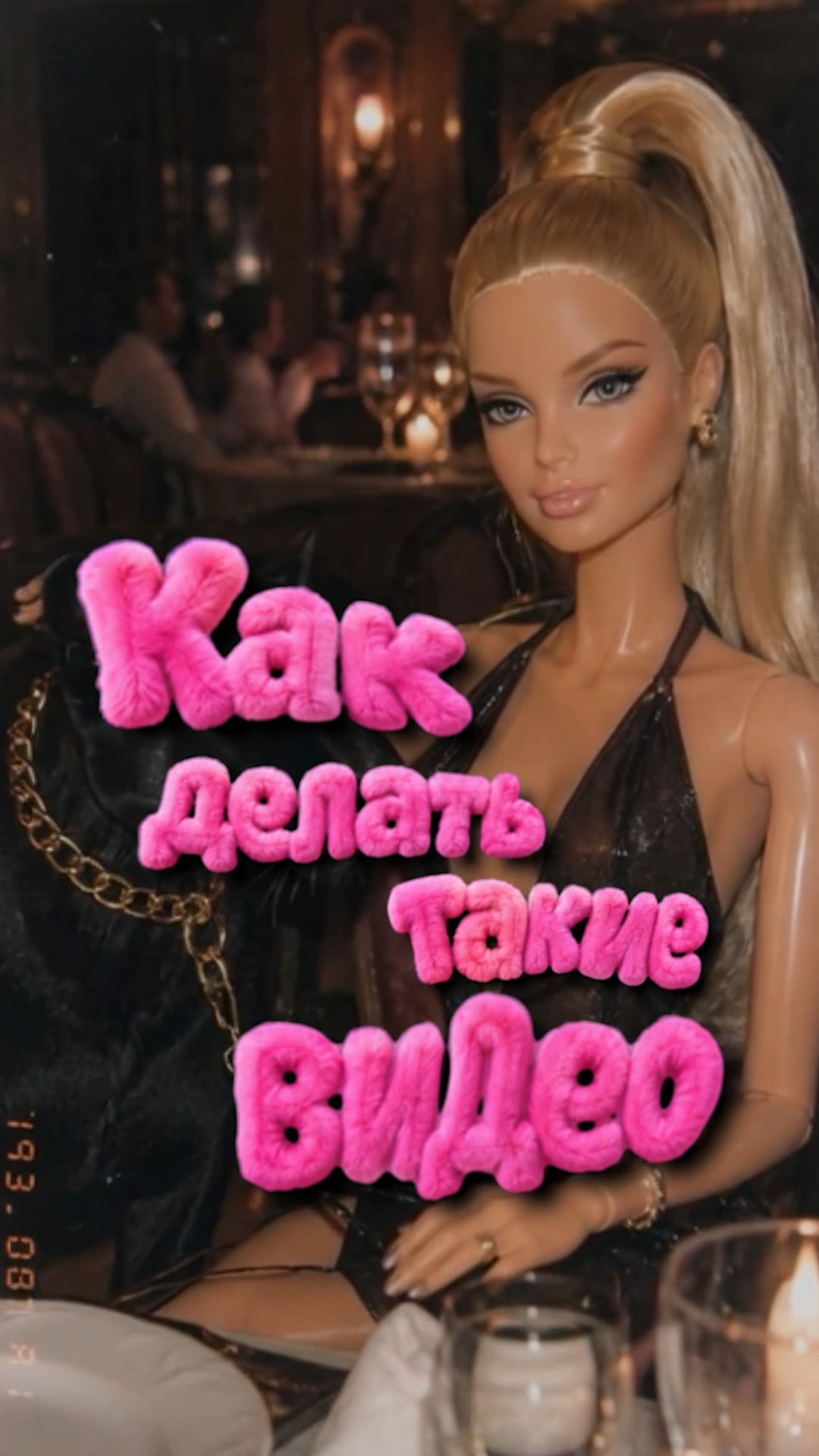
The trending doll effect is when a person in frame turns into a glossy toy doll with a dreamy 2000s film look. Below are two working methods: transfer the motion from an existing clip, or build a scene from scratch. All inside Mixer AI, pay per result in coins, no subscriptions.
Two methods, pick yours
Method 1, doll effect from an existing video
How it works
The existing video sets the motion, and the stylized first frame sets the doll appearance. Kling 3.0 Motion Control joins one to the other.
 GPT Image 2
  Kling 3.0 Motion Control
 Method 1 prompts
Transform the uploaded image into a dreamy low-fi plastic fashion-doll photograph. Keep the original composition, pose, camera angle, clothing, objects, environment, and main visual identity of the uploaded image, but reinterpret everything as a realistic toy-photography scene.

If the image contains a person, animal, character, or body-like figure: turn them into a glossy plastic doll/toy version while preserving recognizable features, hairstyle, face structure, outfit silhouette, pose, proportions, and expression. Make all body construction clean and believable: head naturally connected to the neck, neck to shoulders, arms attached correctly to torso, hands connected to wrists, legs connected to hips, feet attached naturally, no melted limbs, no broken joints, no missing fingers, no distorted anatomy. The body should look like a manufactured doll with smooth plastic skin, subtle seams, soft toy-like joints, glossy highlights, and slightly stylized facial features.

Visual style: 2000s low-resolution digital camera, dreamy soft-focus lens, slight blur, shallow depth of field, faded colors, muted contrast, warm flash, plastic shine, subtle haze, nostalgic toy photography, amateur indoor snapshot, visible grain, dust specks, slight chromatic aberration, gentle vignette, imperfect focus, compressed social-media look, playful fashion-doll aesthetic.

Lighting and color: soft warm flash, slightly washed-out colors, pale highlights, faded pink/blue/yellow tones, not too saturated, not too sharp, dreamy and cheap-camera looking.

Keep the result realistic as a photographed physical doll or toy figure, not a clean 3D render, not anime, not cartoon, not illustration. Do not change the original pose or composition. Avoid distorted anatomy, melted hands, missing fingers, broken limbs, floating head, disconnected arms, unnatural joints, extra limbs, deformed face, over-saturated colors, harsh contrast, overly sharp details, plastic surgery face, AI-perfect skin, fake glossy render.
Transfer the appearance of the doll character from the reference photo onto the person in the video. Keep the original motion, timing and camera exactly as in the video. Preserve the doll look: glossy plastic skin, subtle seams, clean believable anatomy.
Method 2, doll effect from scratch
How it works
There is no source clip here: you describe the scene in words. First a doll photo in GPT Image 2, then animation in Grok.
Want a doll from your own photo? Stylize it using method 1, then upload the resulting picture to Grok as the input image.
 Grok
Grok Method 2 prompts
Generate an image of: [YOUR SCENE / SUBJECT / ACTION / SETTING].

The image should depict exactly this scene, while being rendered in a dreamy low-fi plastic fashion-doll aesthetic.

If the scene contains a person, animal, character, or body-like figure: represent them as a glossy plastic doll/toy version while preserving clear recognizable features, hairstyle, face structure, outfit silhouette, pose, proportions, and expression. Make all body construction clean and believable: head naturally connected to the neck, neck to shoulders, arms attached correctly to torso, hands connected to wrists, legs connected to hips, feet attached naturally, no melted limbs, no broken joints, no missing fingers, no distorted anatomy. The body should look like a manufactured doll with smooth plastic skin, subtle seams, soft toy-like joints, glossy highlights, and slightly stylized facial features.

If the scene does not contain a person: keep the original subject and environment concept, but render it as a miniature toy/doll-world photo, with plastic textures, tiny staged objects, soft nostalgic lighting, and handmade toy-photo realism.

Visual style: 2000s low-resolution digital camera, dreamy soft-focus lens, slight blur, shallow depth of field, faded colors, muted contrast, warm flash, plastic shine, subtle haze, nostalgic toy photography, amateur snapshot feeling, visible grain, dust specks, slight chromatic aberration, gentle vignette, imperfect focus, compressed social-media look, playful fashion-doll aesthetic.

Lighting and color: soft warm flash, slightly washed-out colors, pale highlights, faded pink/blue/yellow tones, not too saturated, not too sharp, dreamy and cheap-camera looking.

Keep the result realistic as a photographed physical doll or toy figure, not a clean 3D render, not anime, not cartoon, not illustration. The final image should feel like a candid viral doll-photo frame. Avoid distorted anatomy, melted hands, missing fingers, broken limbs, floating head, disconnected arms, unnatural joints, extra limbs, deformed face, over-saturated colors, harsh contrast, overly sharp details, plastic surgery face, AI-perfect skin, fake glossy render.
Scene / action: [YOUR SCENE HERE].

Create a short video of this exact scene in a dreamy low-fi plastic fashion-doll aesthetic.

Render all people, animals, characters, and body-like figures as realistic glossy physical dolls/toy figures while preserving the scene logic, subject relationships, outfit style, pose, silhouette, and expression. Keep anatomy clean and believable: head naturally connected to neck, neck to shoulders, arms attached correctly to torso, hands connected to wrists, legs connected to hips, feet attached naturally. No melted limbs, no broken joints, no missing fingers, no floating body parts, no distorted anatomy.

Movement style: controlled, subtle, elegant doll-like motion. Use small believable movements only: slight head turns, soft eye direction changes, gentle hand movement, subtle posture shifts, tiny hair or fabric movement, delicate object interaction, calm breathing-like micro-motion when appropriate. Motion should feel restrained, smooth, precise, and natural for filmed physical dolls. No exaggerated gestures, no chaotic action, no fast motion, no rubbery deformation.

Camera movement: vertical 9:16, slow handheld push-in or very gentle handheld drift, slight cheap digital camera shake, intimate framing, shallow depth of field. The video should feel like someone casually filmed a physical doll setup with an old compact digital camera.

Visual style: realistic toy photography in motion, 2000s low-resolution digital camera video, dreamy soft-focus lens, slight blur, faded colors, muted contrast, warm flash or warm ambient light, plastic shine, subtle haze, visible grain, dust specks, gentle vignette, slight chromatic aberration, imperfect focus, compressed social-media look, nostalgic viral doll-video aesthetic.

Lighting and color: soft warm light, slightly washed-out colors, pale highlights, faded pink/blue/yellow tones, not too saturated, not too sharp, dreamy and cheap-camera looking.

Keep the result realistic as a filmed physical doll/toy scene, not a clean CGI render, not anime, not cartoon, not illustration.

Negative prompt: no hyperreal human skin, no polished 3D render, no modern sharp DSLR footage, no anime, no cartoon, no broken joints, no missing fingers, no distorted anatomy, no extra limbs, no melted hands, no deformed face, no stiff robotic motion, no rubbery motion, no oversaturated colors, no harsh contrast, no over-sharpened details, no messy background, no low-detail subjects.
Build the whole chain in one place
Both methods are a photo-to-video chain across different models. In Mixer AI you can wire them on a single node canvas, or run them step by step right inside the Telegram bot.
 Build on the canvas (nodes)
FAQ
What video works for the from-video method?
A short vertical clip with one person and clear motion: a dance, reel or turn. The better the full figure is visible, the more accurate the appearance transfer.
How do the two methods differ?
In method 1, a photo supplies the appearance and a video provides the motion reference. In method 2, the model creates motion from an image and text. Neither method guarantees an exact reproduction of every gesture.
How much does it cost and is there a subscription?
No subscription. You pay per result in coins, and the price of each generation is shown before you run it.
Can I animate my own photo?
Yes. Stylize your photo using method 1, then upload the result to Grok as the input image. The text prompt alone does not supply the appearance of your doll.