Mixer AI



Efeito boneca com IA: da foto ao vídeo de uma boneca de plástico
O efeito boneca combina uma aparência de brinquedo de plástico com movimento em vídeo. Primeiro, prepare a imagem no GPT Image 2. Depois, use um vídeo de referência no Kling 3.0 Motion Control ou anime a imagem com uma descrição no Grok. Este guia mostra os arquivos necessários, prompts em português e o que conferir antes de publicar.
Dois métodos, escolha o seu
Método 1, efeito boneca a partir de um vídeo
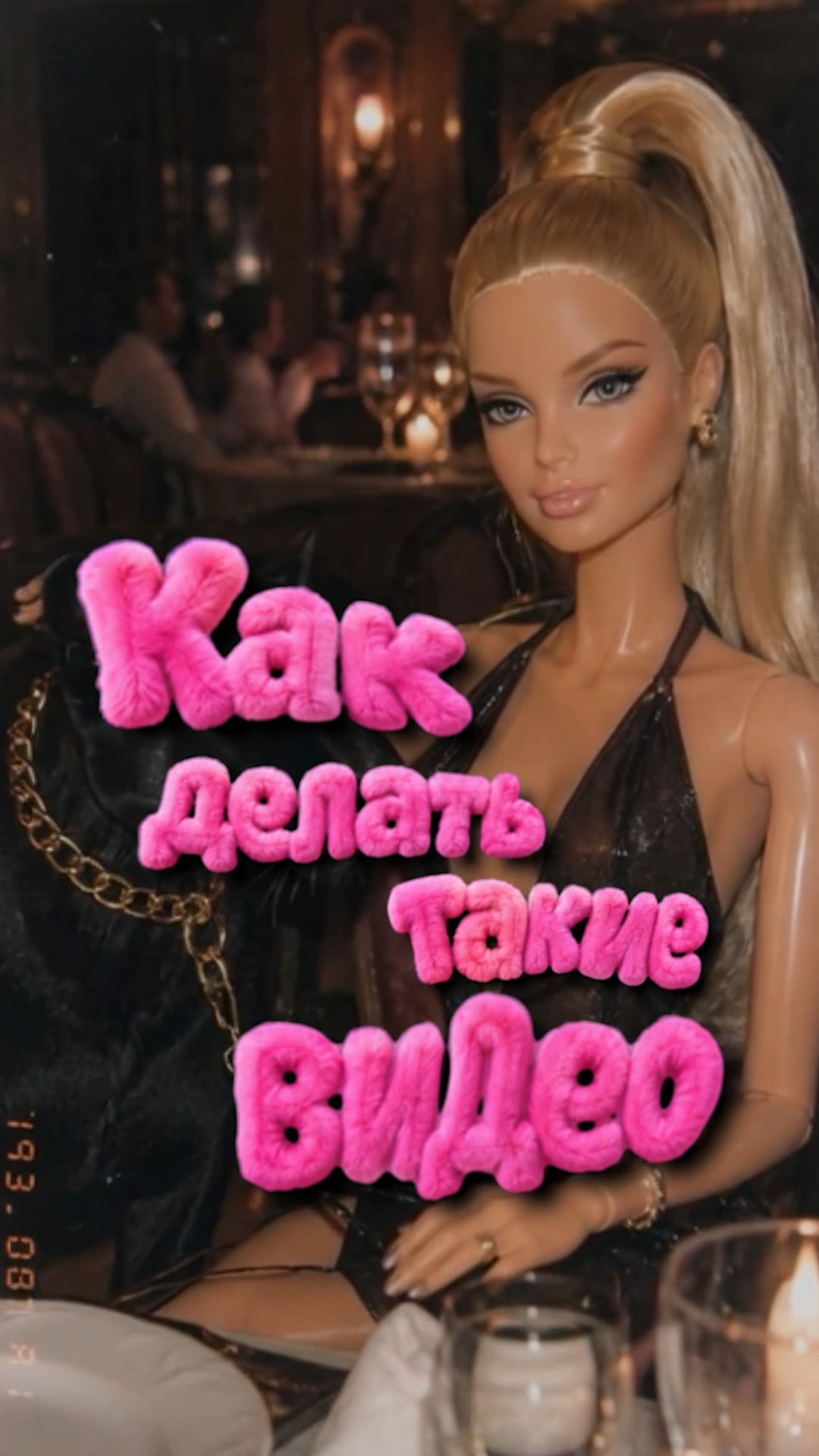
Como funciona
No Kling 3.0 Motion Control, uma foto fornece a aparência do personagem e um vídeo fornece o movimento de referência. A orientação do personagem e a origem do fundo são opções separadas: confira ambas antes de gerar.
 GPT Image 2
  Kling Motion Control
 Prompts do método 1
Transforme a foto enviada em uma fotografia de uma boneca física de plástico. Preserve o enquadramento, a pose, o penteado e a roupa da pessoa. Mantenha braços, pernas e mãos separados e anatomicamente coerentes. Use pele de plástico com brilho suave, pequenas marcas de articulação e textura de brinquedo.

Mantenha o cenário reconhecível. Luz quente de câmera compacta dos anos 2000, cores suaves e um pouco de granulação. Evite acrescentar personagens ou objetos. Priorize uma silhueta legível; não esconda as mãos com desfoque.
A personagem tem aparência de boneca de plástico, com brilho suave e pequenas articulações de brinquedo. Preserve essa aparência durante o movimento de referência. Mantenha os objetos e a iluminação coerentes com a origem do fundo selecionada.
Método 2, efeito boneca do zero
Como funciona
Aqui você usa uma imagem e um prompt, sem vídeo de movimento. O Grok cria a animação; escolha este caminho para um gesto simples, sem precisar reproduzir uma coreografia específica.
Para usar sua própria foto, estilize-a com o prompt do método 1 e envie o resultado como imagem de entrada no Grok. Comece com um teste curto de 6 segundos e uma ação. A duração é uma opção da geração, não uma promessa de tempo de espera.
 Grok
Grok Prompts do método 2
Crie uma fotografia de uma boneca de plástico em: [DESCREVA PERSONAGEM, POSE E CENÁRIO]. Exemplo: uma boneca de vestido azul sentada à mesa de uma cozinha em miniatura, com as mãos apoiadas e uma xícara ao lado.

Plástico com brilho suave, pequenas articulações, roupa de tecido em miniatura e anatomia coerente. Enquadramento vertical, iluminação quente, cores suaves e leve granulação de câmera compacta. Mantenha a cena simples e os objetos separados. A imagem deve parecer uma fotografia de um brinquedo físico.
Anime a imagem enviada. A boneca vira lentamente a cabeça para a direita e volta a olhar para a câmera. Mantenha a câmera fixa, a roupa, o rosto e os objetos na mesma posição relativa.

Preserve a textura de plástico e a iluminação da imagem. Movimento pequeno e suave, sem mudança de cena ou novos personagens. Mantenha as articulações e as mãos estáveis. Substitua a ação inicial se quiser outro gesto; descreva apenas uma ação por teste.
Monte a cadeia toda em um só lugar
Os dois métodos são uma cadeia foto para vídeo entre modelos diferentes. No Mixer AI dá para conectá-los em um único canvas de nós, ou executá-los passo a passo direto no bot do Telegram.
 Montar no canvas (nós)
Antes de gerar e depois de receber o vídeo
Faça primeiro uma imagem com boa separação entre rosto, mãos e objetos. Uma imagem desfocada ou uma mão já deformada não é uma base segura para avaliar a animação. Para o primeiro teste, use uma ação simples; deixe movimentos de câmera e interações com vários objetos para uma etapa posterior.
No Motion Control, confira se a pose e o enquadramento da foto são compatíveis com o trecho de movimento. No Grok, confirme que a imagem está anexada. Depois, assista ao vídeo inteiro: procure mudanças no rosto, dedos que surgem ou desaparecem, objetos que atravessam o corpo e saltos no fundo. Corrija a etapa em que o defeito apareceu.
Os vídeos desta página são exemplos do efeito, não uma garantia de resultado ou de alcance nas redes sociais. Os prompts são pontos de partida; a semelhança e a estabilidade variam conforme o material e a geração.
Revisado em . Confira também os guias de Kling 3.0 Motion Control no Mixer AI e Grok Video no Mixer AI.
Perguntas frequentes
Que vídeo serve para o método a partir de vídeo?
Prefira um trecho contínuo, com uma pessoa bem visível e movimento fácil de identificar. Evite cortes, partes do corpo fora do quadro e objetos que escondam o rosto ou as mãos. Confira os limites do arquivo e da duração na opção de Motion Control escolhida.
Qual a diferença entre os dois métodos?
No método 1, uma foto define a aparência e um vídeo orienta o movimento no Kling 3.0 Motion Control. No método 2, uma imagem e um prompt orientam a animação no Grok. Nenhum dos métodos garante a reprodução exata de todos os gestos ou detalhes do rosto.
Quanto custa e tem assinatura?
Não é necessário contratar uma assinatura. A imagem e o vídeo são gerações separadas, cobradas em moedas. Confira o preço de cada etapa antes de iniciar. A duração, a qualidade e novas tentativas podem alterar o custo total.
Posso animar minha própria foto?
Sim. Envie sua foto ao GPT Image 2 para criar a versão de boneca. Revise a imagem e depois envie essa versão ao Grok como imagem de entrada. Escrever apenas o prompt de animação, sem anexar a foto, não transmite a aparência da sua boneca.
Como corrigir mãos deformadas ou uma boneca que muda de aparência?
Se o defeito já aparece na imagem, corrija ou gere novamente essa etapa antes de animar. Se surgir no vídeo, simplifique o gesto, reduza o movimento de câmera ou escolha outro trecho de referência. Compare o início, o meio e o fim do novo resultado; essas medidas ajudam a testar a causa, mas não garantem a correção.