 Mixer AI



AI storyboard: 3×3 grid and Scene Cutter
In Mixer AI, storyboards are made in Canvas. An image model draws 9 frames in a 3×3 grid on one picture. Scene Cutter assembles selected cells from several such pictures into storyboards of up to 9 frames. You cut out the frame you need with Crop and feed it into a video node.
Updated
Canvas in action
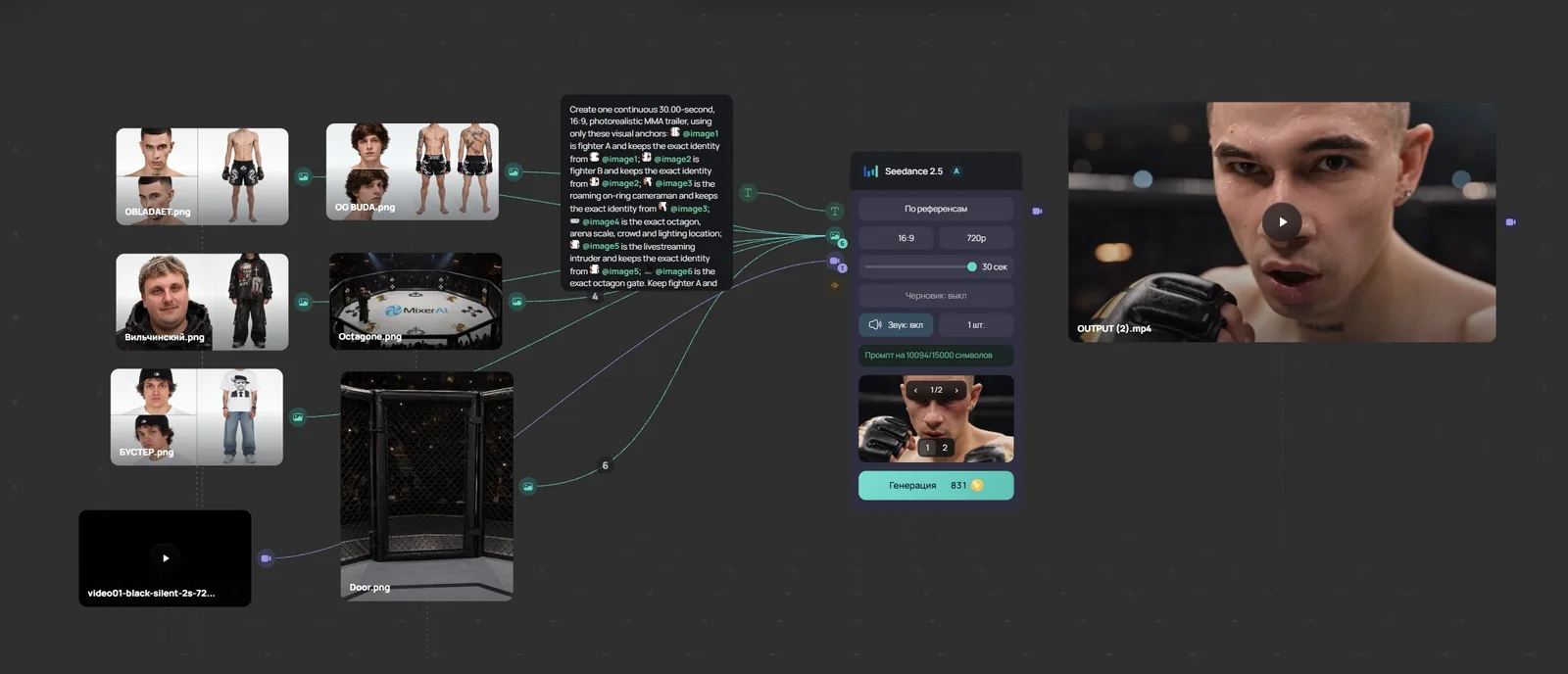
Video lesson (in Russian): a node workflow in 8 minutes
How Scene Cutter works
- It takes cells from one or more photos with a 3×3 grid.
- The order in which you select cells becomes the frame order; frames can be rearranged.
- The cell format is Landscape 16:9 or Portrait 9:16.
- One storyboard holds up to 9 frames. If you select more, you get several storyboards.
- Finished storyboards are added to the canvas as new images.
What else helps on the canvas
- Overlay grid draws grid lines on a photo, so you can see whether the model split the frames evenly.
- Crop cuts out one frame to feed into a video model.
- A text node with GPT, Gemini, Claude or Grok helps you write out the scenes before generating.
Models for storyboards and video
| Model | Price in Mixer AI |
|---|---|
| Nano Banana Pro | from 17 coins (≈ $0.187) per generation |
| Nano Banana 2 | from 10 coins (≈ $0.11) per generation |
| GPT Image 2.5 | from 8 coins (≈ $0.088) per generation |
| Seedream 5.0 Pro | from 9 coins (≈ $0.099) per generation |
| Kling 3.0 | from 54 coins (≈ $0.59) per 5 s |
| Seedance 2.5 | from 99 coins (≈ $1.09) per 5 s |
Mixer AI prices are the lowest catalog tariffs in coins; the dollar amount is approximate. The exact price depends on the settings and is shown before the run.
A storyboard in 5 steps
Models for storyboards




FAQ
Which model should make the 3×3 grid?
Try Nano Banana Pro, Nano Banana 2 and GPT Image 2.5 with one prompt: in Canvas these are several nodes, and the results appear side by side.
How many frames are in one storyboard?
Up to 9. If you select more cells, Scene Cutter builds several storyboards.
Can I make a vertical storyboard for Reels and Shorts?
Yes, choose the Portrait 9:16 cell format.
Can I build a storyboard from several generations?
Yes. Select several photo nodes: cells from different pictures go into one storyboard in the order you select them.
Does Mixer AI need a subscription?
No. You top up the balance and pay for each generation at the model's price.